Adobe Fill & Sign
is gone. Now what?
If you used Adobe Fill & Sign to sign forms on your iPhone, you've probably seen the message: the app is retired and Adobe wants you to move to Acrobat Reader. Here's what that means and how eSign compares as a replacement.
Updated By Alina Bohuslavska, maker of eSign
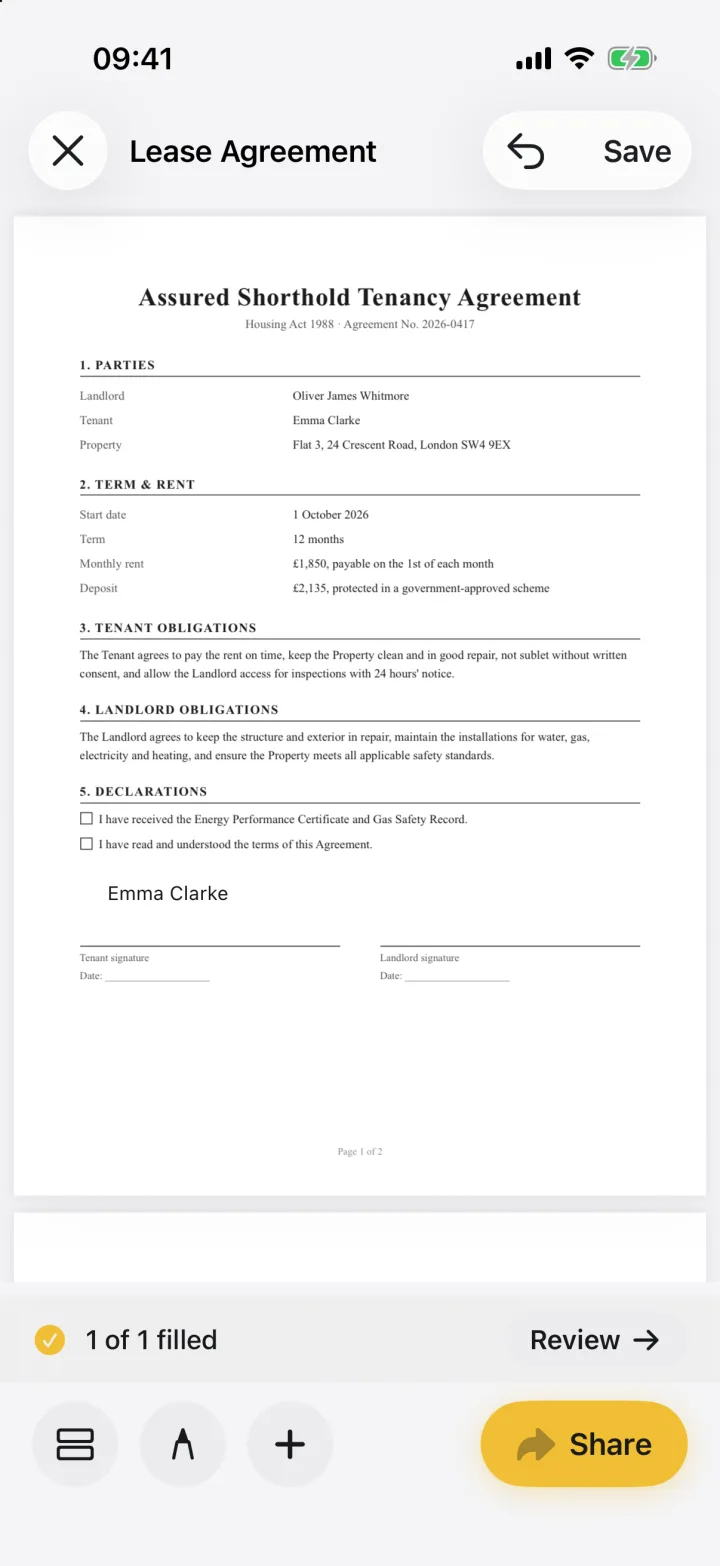

Adobe retired the Fill & Sign app and points users to Acrobat Reader, whose Fill & Sign feature is free. If you want a lighter app that keeps documents on your phone, needs no Adobe account, fills flat PDFs and can lift your real signature from a photo, eSign is a close replacement.
eSign vs Acrobat Reader
| Feature | eSign | Acrobat Reader |
|---|---|---|
| Fill & sign PDFs | Yes | Yes, with the Fill & Sign tool |
| Price | Free to try, Pro for unlimited signing | Fill & Sign is free; Premium extras $12.99–14.99/month |
| Account | None | Adobe account for cloud storage and sync |
| Where documents live | On your device only | On device or in Adobe cloud storage |
| Signature from a photo of paper | Yes, background removed | Draw or type |
| Opens Word files and scans | Converts .docx, images and camera scans to PDF | PDF-focused |
| iPhone, iPad, Mac | Yes, one purchase | Yes |
Based on public App Store listings and Adobe help pages, October 2026.
What happened to Adobe Fill & Sign?
Adobe has retired the standalone Fill & Sign app. It no longer receives updates, and opening it shows a prompt to move to Acrobat Reader, which includes a Fill & Sign tool.
Adobe's migration guidance says documents don't move over automatically. To get them into Reader, you upload them to Adobe's cloud storage first. If you'd rather your forms didn't go through anyone's cloud, that's worth knowing before you switch.
When Acrobat Reader is the better choice
If you already pay for Acrobat, live in Adobe's ecosystem, or need heavy PDF editing, Reader makes sense. Its Fill & Sign tool is free and does the basics well.
When eSign is the better choice
- You want a focused app for signing and filling, not a full PDF suite
- You don't want an account or cloud uploads
- You sign with your real signature and want to scan it from paper
- Documents arrive as Word files, photos or paper, not just PDFs
Common questions
Is Adobe Fill & Sign still available?
No. Adobe has retired it and directs users to Acrobat Reader's Fill & Sign tool.
Will my Fill & Sign documents move to another app?
Not automatically. Adobe says you need to upload them to Adobe cloud storage to open them in Reader. To use them in eSign, export them from Fill & Sign (or from Adobe's cloud) as PDFs and open them in eSign.
Is there a free Fill & Sign alternative?
Acrobat Reader's Fill & Sign tool is free, and Apple's built-in Markup can add a basic signature. eSign is free to try, with Pro for unlimited signing.
Keep reading
Ready when the
next one lands.
Free to try · No account needed